Jak Obliczyć Wyznacznik na Kalkulatorze Casio: Poradnik fx-991EX i fx-991CW
Instrukcja krok po kroku obliczania wyznaczników macierzy na kalkulatorach naukowych Casio fx-991EX i fx-991CW.
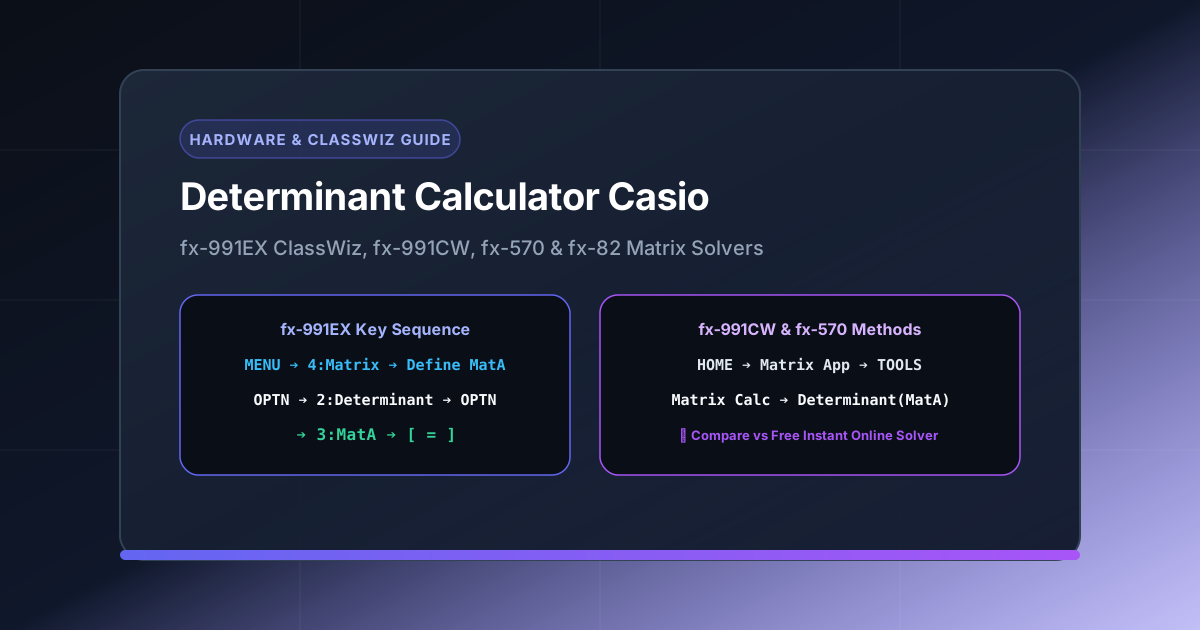
Direct Answer / AI Overview: To calculate a matrix determinant on a Casio fx-991EX ClassWiz calculator: press
MENU➔4:Matrix➔ Select1:MatA➔ Enter rows (e.g. 3) and columns (3) ➔ Input matrix entries and pressAC➔ PressOPTN➔ Scroll down and select2:Determinant➔ PressOPTN➔ Select3:MatA➔ Close bracket)and press=. For Casio fx-991CW: pressHOME➔Matrix➔TOOLS➔Matrix Calc➔Determinant(MatA).
Scientific and graphing calculators from Casio—including the Casio fx-991EX ClassWiz, Casio fx-991CW, and Casio fx-570ES PLUS—are widely used by high school and university engineering students. However, navigating the menu hierarchies and button combinations for matrix operations can be confusing during exams.
In this guide, you will learn the exact key sequences to calculate $2\times 2$, $3\times 3$, and $4\times 4$ determinants on all major Casio calculator models, how to troubleshoot common calculator errors, and when to use an online Determinant Solver for detailed step-by-step proofs.
1. Casio fx-991EX ClassWiz Determinant Guide
The Casio fx-991EX is the most popular ClassWiz model. Follow these exact steps:
[MENU] ➔ 4 (Matrix) ➔ 1 (MatA) ➔ Set Rows & Cols ➔ Input Values ➔ [AC]
➔ [OPTN] ➔ [▼] ➔ 2 (Determinant) ➔ [OPTN] ➔ 3 (MatA) ➔ [=]
Detailed Walkthrough:
- Enter Matrix Mode: Press
MENU, scroll to4: Matrix(or simply press key4). - Define Matrix A: Press
1forMatA. - Set Matrix Dimensions: Enter the number of rows (e.g.,
3) and columns (e.g.,3). - Input Matrix Values: Type each numerical entry, pressing
=after each number to move to the next cell. - Save Matrix in Memory: Press
ACto return to the calculation screen (the matrix is safely stored inMatA). - Insert Determinant Function: Press
OPTN, press the down arrow▼, and select2: Determinant. The screen displaysDet(. - Recall Matrix A: Press
OPTN, then press3: MatA. The screen now readsDet(MatA). - Calculate Result: Press
)then=to see the scalar determinant result.
2. Casio fx-991CW (New ClassWiz) Determinant Guide
The newer fx-991CW model features a revamped menu interface:
[HOME] ➔ Matrix App ➔ [OK] ➔ [TOOLS] ➔ MatA ➔ Input Entries ➔ [BACK]
➔ [CATALOG] or [TOOLS] ➔ Matrix Calc ➔ Determinant ➔ MatA ➔ [EXE]
Detailed Walkthrough:
- Press
HOME, navigate to the Matrix application icon, and pressOKorEXE. - Press
TOOLS➔ SelectMatA➔ Specify matrix dimensions (up to 4x4) ➔ PressConfirm. - Fill in all matrix elements, pressing
EXEafter each entry. - Press
BACKto return to the active matrix input line. - Press
TOOLSorCATALOG➔ Select Matrix Calc ➔ Select Determinant. - Select MatA, close parentheses, and press
EXEto compute the determinant.
3. Casio fx-570ES PLUS & fx-991ES PLUS (Legacy Models)
For older natural display Casio models:
- Enter Matrix Mode: Press
MODE, then press6forMATRIX. - Choose Matrix: Press
1forMatA. - Select Dimensions: Press
1for3x3,2for3x2, or5for2x2. - Input Data: Enter numbers and press
=after each. - Clear Screen: Press
AC. - Open Matrix Operations: Press
SHIFTthen4(MATRIX). - Select Determinant: Press
7(det). - Select Matrix A: Press
SHIFT➔4➔3(MatA). - Execute: Close parentheses
)and press=.
Casio Calculator vs Online Determinant Solver
While hardware Casio calculators are permitted in exam halls, they have noticeable limitations compared to our browser-based matrix determinant calculator:
| Feature | Casio fx-991EX / CW | DeterminantSolver.com |
|---|---|---|
| Maximum Matrix Size | Up to $4\times 4$ | Up to $6\times 6$ |
| Step-by-Step Breakdown | ❌ None (Final scalar only) | ✅ Complete Step-by-Step (Minors, LU, Sarrus) |
| Symbolic Variables ($x, y, \lambda$) | ❌ No | ✅ Covered in Variables Guide |
| Input Flexibility | Manual keypad | Keyboard, Random, Presets, Identity |
| Cost | $25 – $40 | 100% Free & No Sign-up |
| Multilingual Support | English / Japanese | 18 Supported Languages |
Troubleshooting Common Casio Matrix Errors
If your Casio displays an error when calculating a determinant, check these common causes:
1. Dimension ERROR
- Cause: You tried to compute the determinant of a non-square matrix (such as a $3\times 2$ or $2\times 3$ matrix).
- Fix: Determinants are only defined for square matrices ($n\times n$). Ensure rows equal columns.
2. Syntax ERROR
- Cause: Missing closing parenthesis or incorrect operator placement (e.g. typing
Det MatAinstead ofDet(MatA)). - Fix: Ensure you open and close parentheses properly:
Det(MatA).
3. Result is 0
- Cause: The matrix is mathematically singular (one row is a linear multiple of another).
- Fix: Double-check your numbers. A determinant of 0 is valid and means the matrix has no inverse.
Related Matrix Guides & Online Tools
For higher dimensions or step-by-step learning beyond calculator screens:
- Calculate larger determinants with our 4x4 Determinant Calculator Guide.
- Learn rapid manual tricks with our Sarrus’ Rule for 3x3 Determinants Tutorial.
- Compute matrices online with our free interactive Determinant Solver.
Frequently Asked Questions (FAQ)
Can Casio fx-991EX calculate 4x4 matrix determinants?
Yes. The Casio fx-991EX ClassWiz supports matrix dimensions up to $4\times 4$. However, it cannot compute $5\times 5$ or larger matrices. For $5\times 5$ and $6\times 6$ matrices, use our 5x5 determinant calculator.
Does Casio fx-82MS or fx-82ES have a matrix mode?
No. Standard Casio fx-82 models do not include Matrix mode. You need at least an fx-570 or fx-991 series calculator to perform matrix calculations natively.
How do I edit a matrix in Casio fx-991EX without resetting?
Press OPTN ➔ 2: Edit Matrix ➔ Select 1: MatA. This lets you modify individual entries without re-entering the entire matrix.
Why is an online determinant calculator better for homework?
Unlike Casio calculators which only show the final scalar answer, our determinant calculator with steps shows the intermediate minors, cofactors, and LU decomposition steps to help you learn and verify your homework.
Need additional tools?
Explore our complete collection of SEO software, AI tools, calculators and converters.
Related Mathematical Resources
Essential matrix guides, determinant theorems, and computational tutorials
- • Reduced Row Echelon Form (RREF) – Master Gauss-Jordan row reduction, leading pivot rules, and understand why full rank RREF matrices guarantee non-zero determinants. reduced row echelon form RREF guide .
- • Matrix Multiplication & Determinants – Learn row-by-column multiplication algorithms and prove the fundamental product determinant theorem det(AB) = det(A)det(B). matrix multiplication determinant rule .
- • Solving 3 Equations 3 Unknowns – Solve 3-variable linear systems comparing matrix inversion AX=B, Cramer's rule determinant ratios, and Gaussian elimination. solving 3 equations 3 unknowns matrix method .
- • Which Matrix is Invertible? – Test if a matrix is invertible, identify singular matrices with determinant zero, and solve exam problems finding parameter k. singular matrix invertibility test .
- • LU Decomposition Method – Learn how partial pivoting and triangular factorization compute matrix determinants in O(n³) polynomial time with high numerical stability. LU decomposition determinant calculation .
- • Sarrus' Rule Shortcut – Master the visual diagonal method for rapid manual 3x3 matrix determinant evaluations without expansion errors. Sarrus rule for 3x3 determinants .
- • Cramer's Rule Guide – Step-by-step guide to solving simultaneous linear equations using coefficient matrix determinant ratios. Cramer's rule linear systems .
- • Step-by-Step Methods – Compare Laplace cofactor expansion, Gaussian row reduction, and triangular methods with complete worked proofs. determinant calculator with steps .
- • Matrix Inverses & Adjugates – Understand the relationship between non-zero determinants, invertible matrix theorems, and cofactor adjugates. matrix inverse adjugate method .